It counts. You don't.
Describe your policy once — in the shape your employer actually wrote it, not a shape an app decided on. After that your phone records the days, tells you before you fall behind, and answers the question on your home screen. Most weeks you never open it. Your location is never shared with an employer; there is no manager view to switch on.
Web app and iPhone app are both live — start on either one, it is the same account. The app is the half that records the days without being asked.

In the office
Arrived 09:12 · 3h 20m inside
Head office · this week
On pace
3 in · 5 needed
The problem
Easy to write. Annoying to count.
Your policy reads clean on paper. Working out whether you're actually meeting it — in the middle of a quarter, after a week of PTO — is a different job entirely, and it always lands on you.
The Friday-afternoon spreadsheet
You reconstruct the week from memory in a spreadsheet you keep meaning to tidy up. By Monday you don't quite trust it, and you're the one who wrote it.
What actually counts?
Does the holiday week count? Does PTO come off the total? Does that Saturday you went in earn you anything? The policy is clear until you apply it to a real calendar.
The end-of-quarter scramble
You find out you're short with two weeks to go, or you over-corrected for months and needn't have. Either way you knew too late to do anything useful about it.
How it works
Set it up once. Then forget about it.
The point is to stop thinking about it. Steps 1 and 4 work today in the web app; 2 and 3 arrive with the mobile app, which is what makes the tracking automatic.
Mark your office areas
Drop pins on the places that count — one office or several, a coworking space, wherever you actually go. They all count equally. Available now.
Keep your phone in your pocket
No check-ins, no QR codes, no tapping a button on arrival. If your phone is with you, that's the whole interaction. In the iOS app.
Tracking runs itself
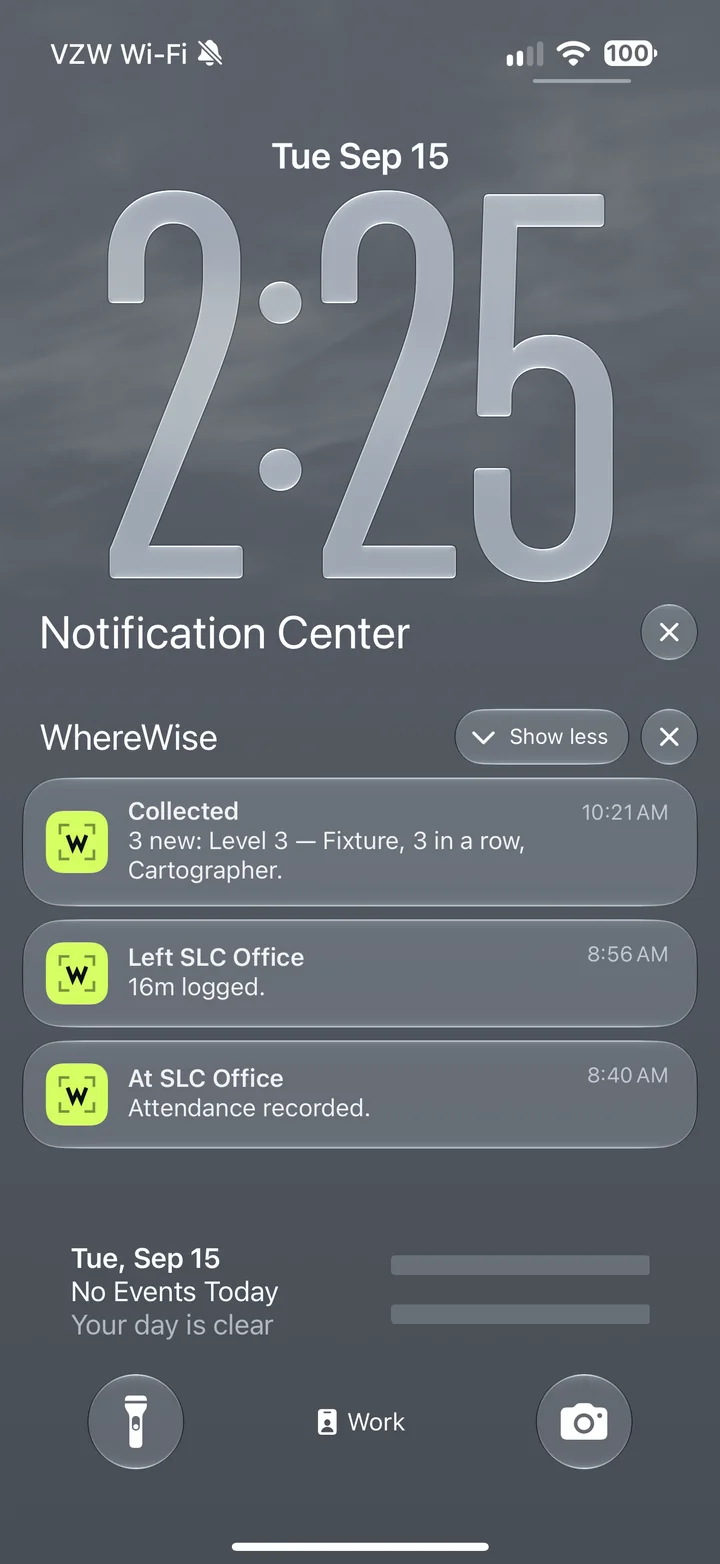
Stay a few minutes inside a saved area and the visit opens — arrival, departure, duration. Leave and it closes. In the iOS app.
Review and correct
Every visit is editable, forever, and corrections are marked as yours. Add a missed day from either device; adjust exact arrival and departure times on the web. Available now.
Policies
Whatever your policy says, it can measure.
Describe the rule in plain language. WhereWise turns it into a running number you can check any time — counted in days or in hours, with holidays, PTO, and custom exceptions accounted for.
“50% of working days”
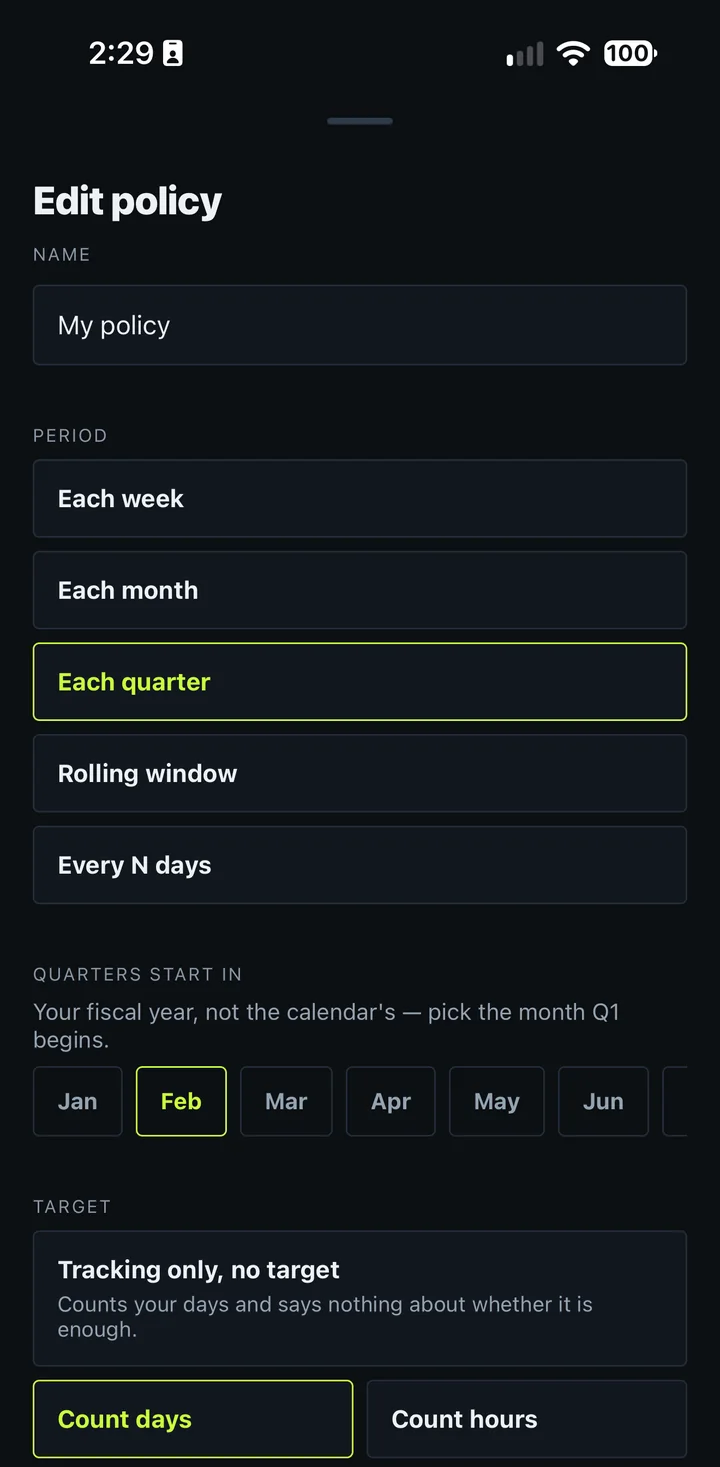
In the office half of your working days in the quarter starting in February. Quarters, months, or custom windows — you set the start date.
“8 days in the last 20 workdays”
A rolling window rather than a fixed period, counted in workdays. Define your own working week too — a Tuesday-to-Saturday week counts correctly.
“60 hours a month”
Count time rather than days, if that is how your policy is written — a flat number of hours, or a percentage of your own working week. A day you barely showed up for stops looking like a day you did.
Holidays, PTO & exceptions
Mark a day as PTO, a holiday, or working from home and it stops being a day you were required in. Turning up anyway still counts — an exception never cancels credit.
A policy, in plain language
Required days this quarter
31
50% of 62 working days
Days in the office
20 ✓
Where you stand
2 ahead
How little it asks
Five minutes at the start. Almost nothing after that.
Every step below asks less of you than the one above it. The last one asks nothing at all.
- 01
Describe it once, in your own words
Days or hours. A percentage or a fixed count. Quarters that start in the month your employer uses, not January. A rolling window of the last twenty workdays. Which days were ever required of you, and which shouldn't count against you. Most apps in this category offer a quarterly calculator and hope your policy fits it.
What it costs youFour minutes, once
- 02
Then stop counting
Your phone notices when you reach an office and when you leave, and writes the day down. No button to press on arrival, no check-in to forget, no reconstructing Tuesday on Friday afternoon. Days you added by hand and days it detected are both kept, and the record says which is which.
What it costs youNothing
- 03
Know before it matters, not after
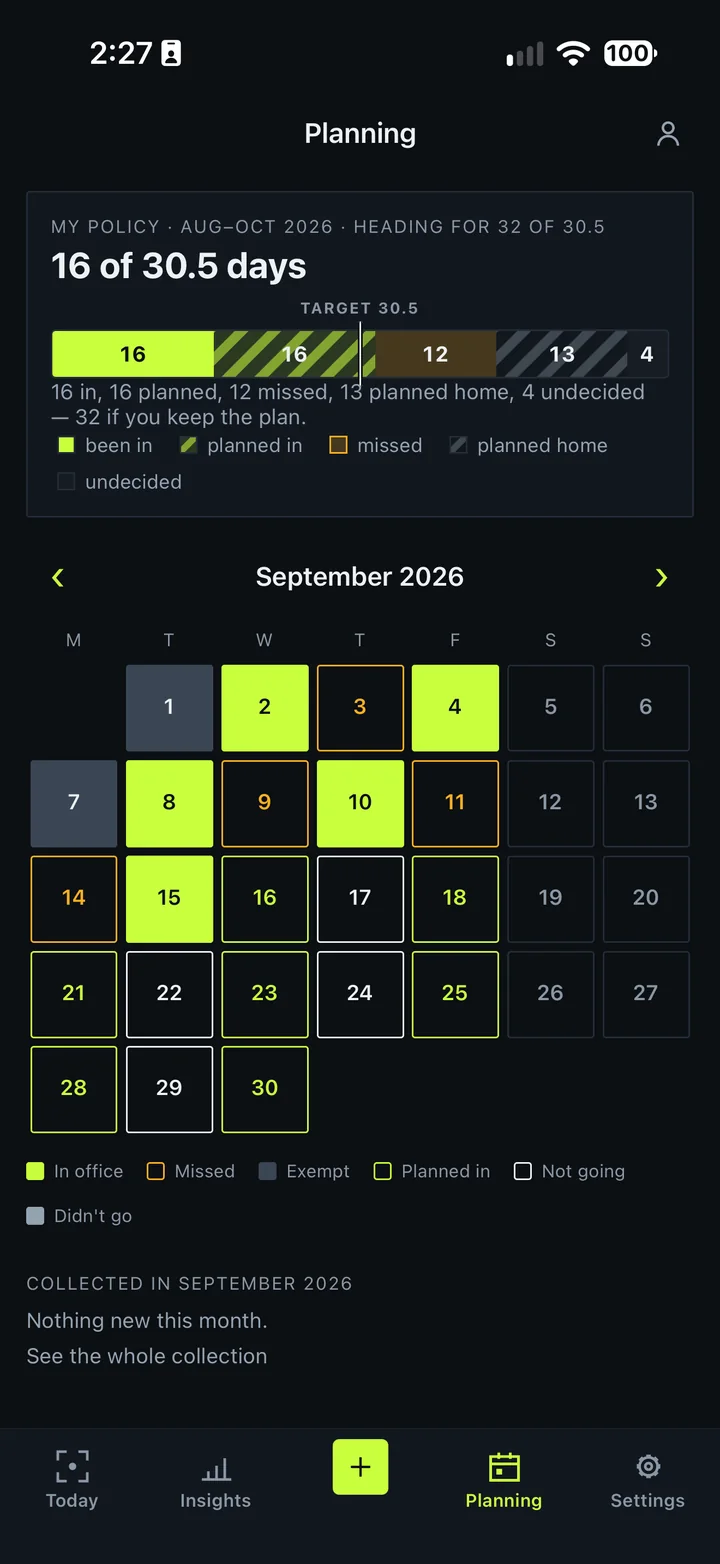
Mark the days you mean to go in and the period re-forecasts: here is where you land if you keep to the plan, and here is what changes if you drop Thursday. Being short with two weeks left is a problem. Finding out on the last day is not a problem, it's a result.
What it costs youA few taps a week
- 04
Ask, instead of working it out
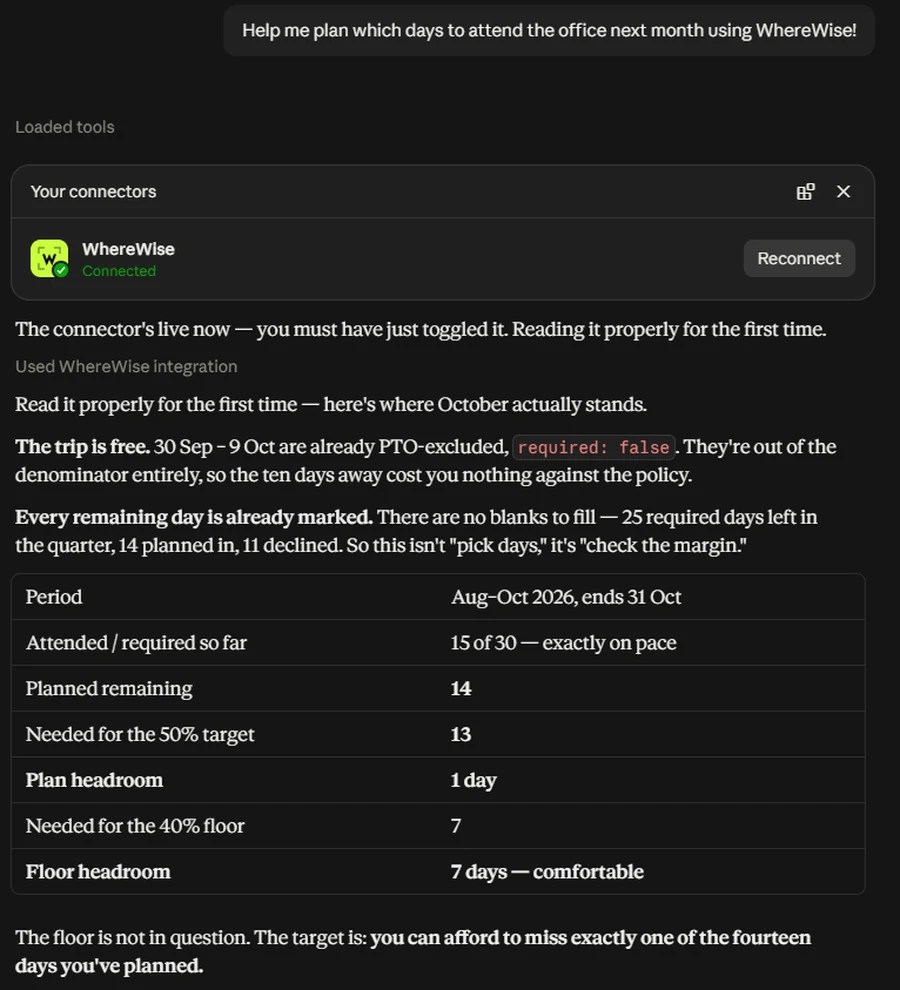
Connect the AI assistant you already use and ask in plain words — am I behind, which days should I go in next month, does that trip cost me anything. It reads your record, works against your real policy, and answers where you already are. It can read and it can mark a day as planned. It can never create, change or delete a visit; there is no permission that does.
What it costs youOne question
- 05
Or don't open it at all
The month and your standing sit on your home screen. A note when a visit starts and ends, so you can see it working without looking. A summary in your inbox as often as you want one — and because every summary lists the days, a folder of them is a copy of your record that survives this service.
What it costs youNone
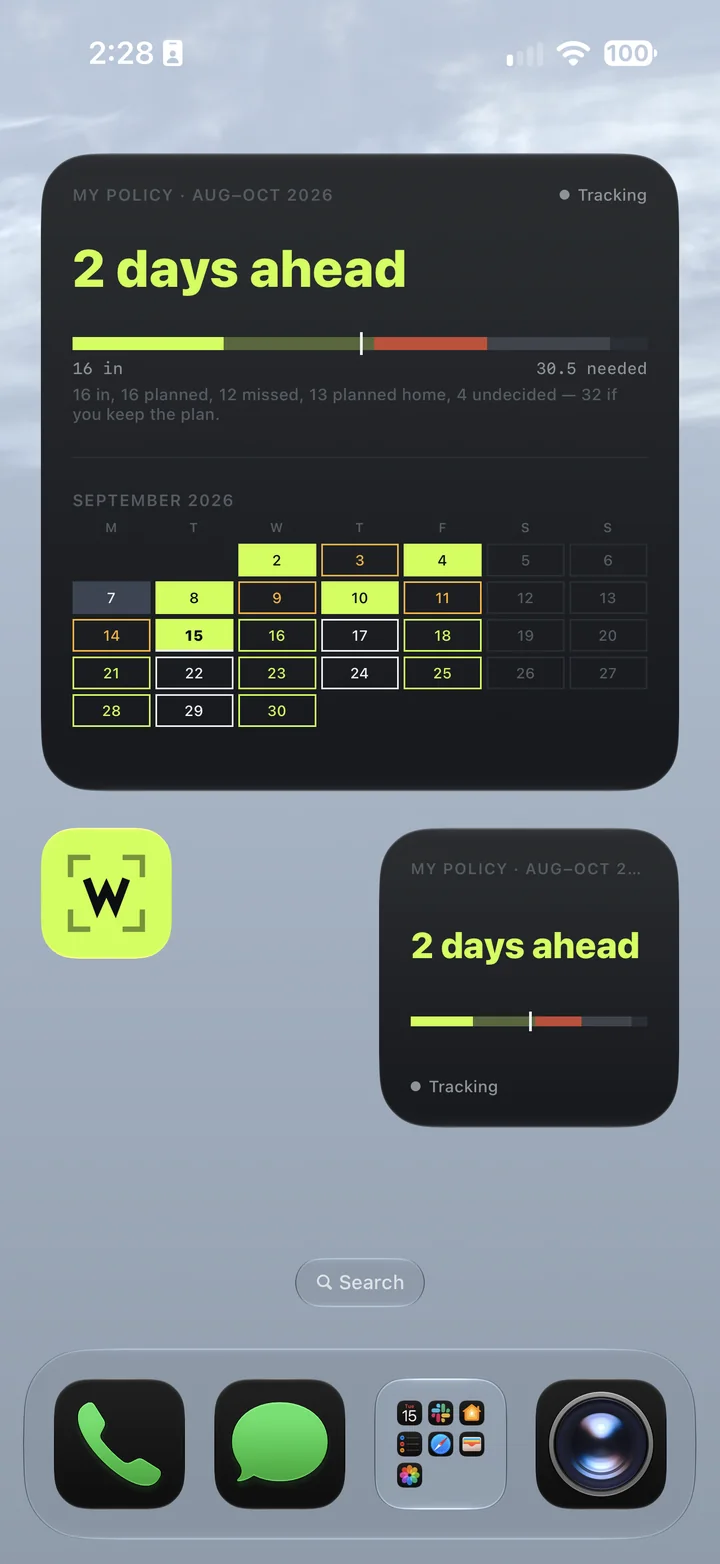
None of it is visible to anyone else. There is no team, no manager view and no organisation account — not withheld for a higher tier, absent. The rest of this market is bought by employers; this one is bought by the person whose attendance it is.
Yours
It speaks how you want, and it holds nothing hostage.
An attendance tracker is a nagging machine by nature. This one lets you pick the register — and lets you take everything and leave whenever you want.
Five voices
The same numbers, said five different ways. Pick the one you can stand hearing on a Monday.
- The Robot“Behind pace — 2 days short.”
- The Coach“2 days behind — very fixable.”
- The Free Spirit“You're 2 days light. It'll keep.”
- The Stickler“Deficit: 2 days against policy.”
Voice changes the wording only. The number is identical in all five — a joke never eats the fact. There is a fifth with a strong-language warning on it, which you are welcome to ignore.
Yours to take, yours to end
No location trail. Your phone’s position is compared to the areas you placed and discarded in the same request. An arrival time is written down; the coordinates never are.
Export everything. One button, the raw records, not a prettied-up summary you would have to trust.
Delete everything. Also one button, from the web or the phone, and it is permanent.
It tells you when it stops working. Silent failure is the real risk with background tracking, so the app watches its own phone and says when it has gone quiet — rather than letting you find out at the end of the quarter.
Read the privacy policy — it names every processor and what each one sees.
Platform
Your phone does the tracking. The web app does the digging.
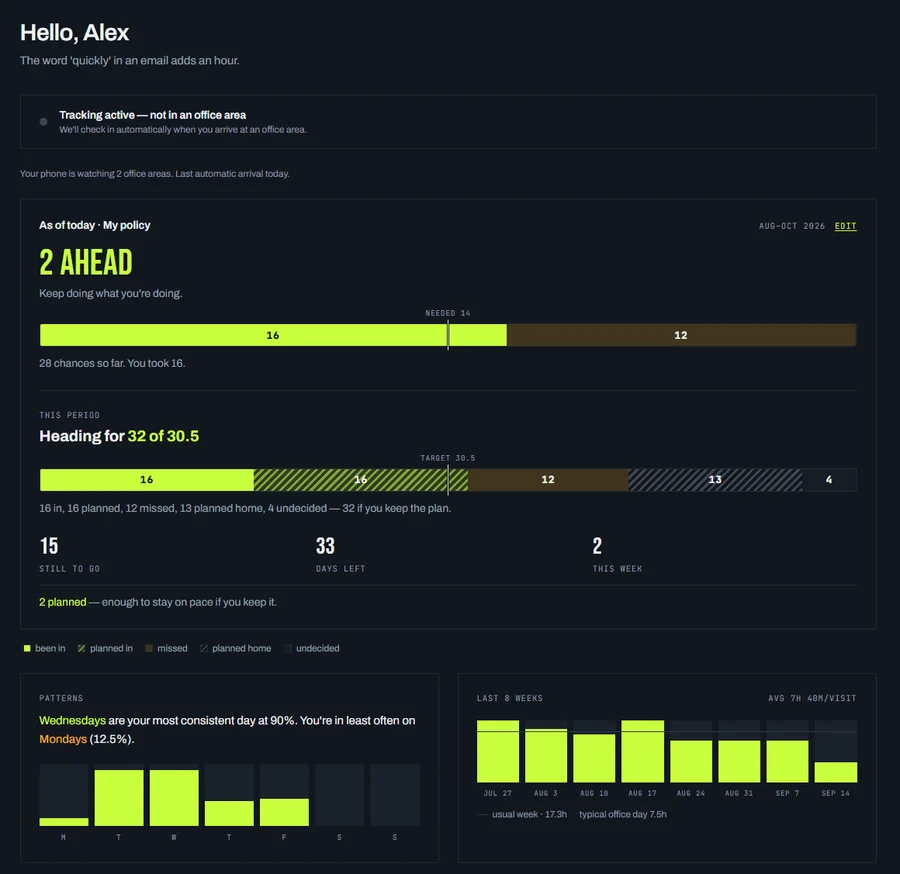
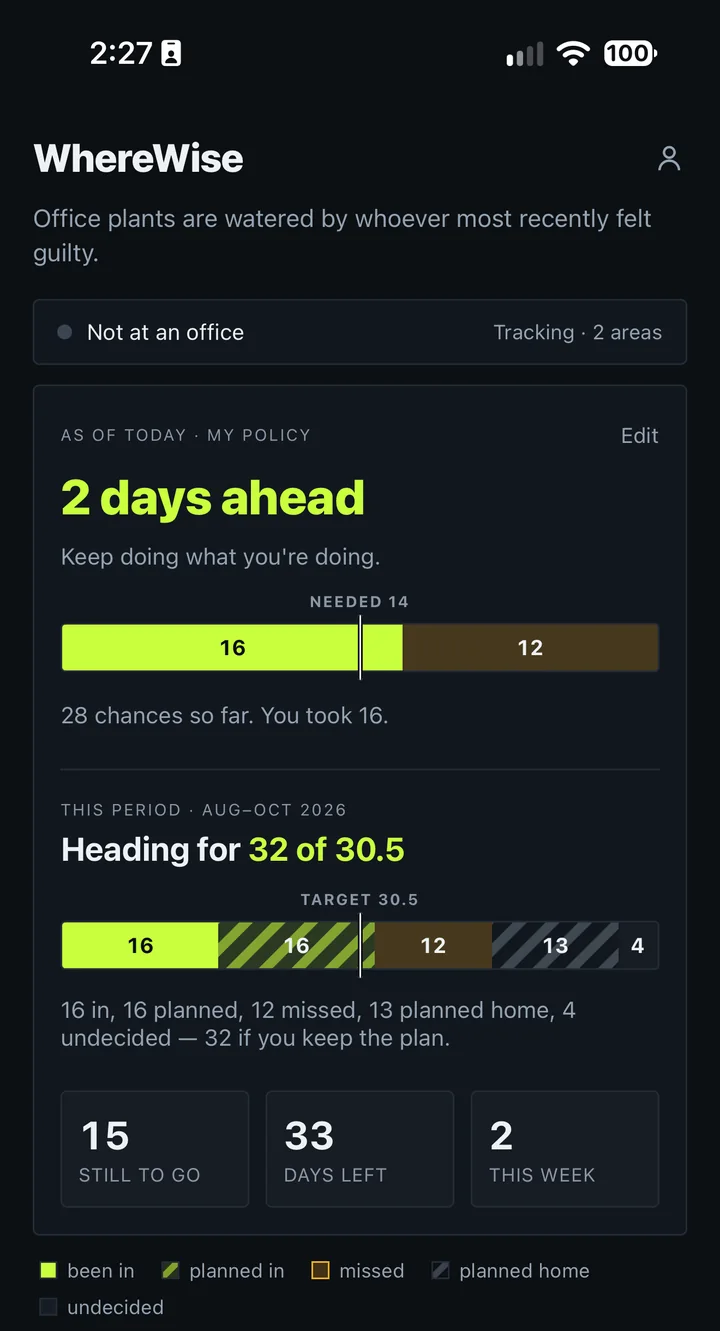
The iOS app runs quietly in your pocket — watching office areas, recording visits, and telling you when one starts and ends. The web app is where you set policies, explore history, and make corrections on a big screen.
iOS
Geofenced tracking in the background, with a note when a visit starts and ends. Set it up once and forget it.
Web
Policies, history, trends, and corrections — everything on a screen that fits it. No install.
Synced
One account, one history. Fix something in the browser and the phone has it the next time you open it.
Know where you stand.
Set your policy once and stop doing the arithmetic. Everything is free right now — see pricing for what that means later.